vatSys Client Guide
Our vatSys dataset comes pre-loaded with everything a controller needs to get connected, and no external software is required to be updated or modified before the controller can log on to the VATSIM network.
Note
While a Navigraph Subscription is not required, you can update your Nav-data by going to: Settings > Navigraph > Link Navigraph Account
Plugins
Our vatSys dataset currently ships with three plugins, the VATNZ Standard Route Tool, the Multiple ATIS Editor and the VATNZ Plugin for automatic sector extension.
All the Plugins can be downloaded from the VATNZ Website
VATNZ Standard Route Tool
The VATNZ Standard Route Tool allows controllers to quickly look up standard routes that aircraft have filed, as well as issue pilots with a standard route on request.
What is a Standard Route?
A Standard Route is a predefined route that is issued to IFR aircraft around New Zealand. These routes are made up of defined nav aids, waypoints, and airways that link to each other, and provide a safe and standard way for IFR aircraft to fly around the country.
The standard IFR clearance in New Zealand is issued as an "airways clearance". Examples of standard routes can be found here
You can find this plugin under Tools > Standard Route Tool

A full user manual for this plugin can be found here
Multiple ATIS Editor
The Multiple ATIS Editor replaces the default vatSys ATIS editor and allows controllers to have up to four ATIS connections whilst controlling.
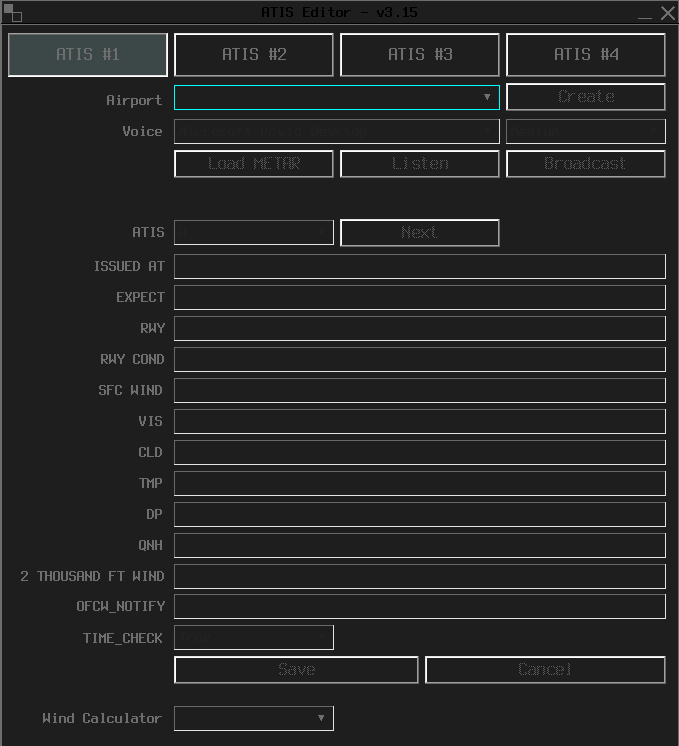
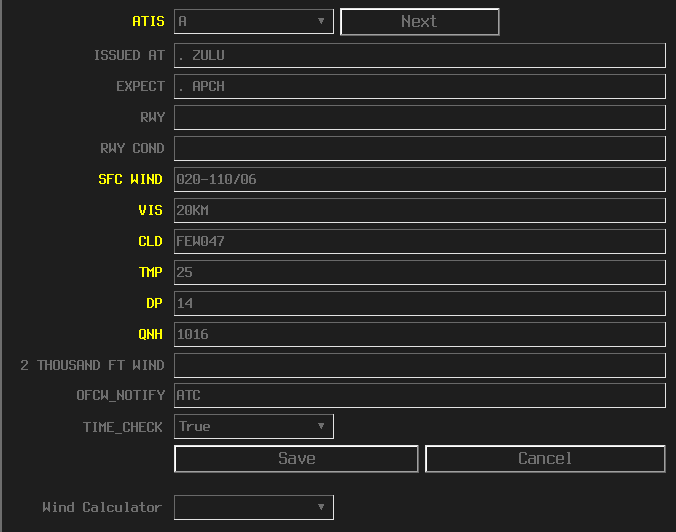
This plugin follows the same colour scheme as our domestic dataset and also has the same functions as the vatSys ATIS editor.
When a new METAR is issued, fields highlighted in yellow indicate a change that needs to be reviewed and updated.
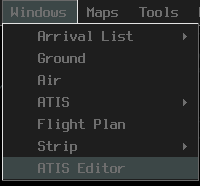
The new ATIS editor can be found under Windows > ATIS Editor
Note
The default ATIS request function is still present in the menu bar, this is the native function built in to view other ATIS connections.
Many thanks to AJ (badvectors) for creating this plugin, and sharing this plugin with us.
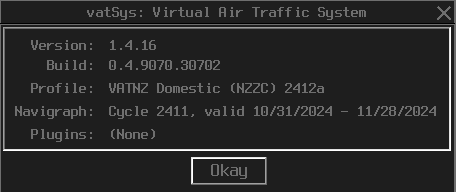
To check what plugins are currently installed with your client, go to Info > About
Sector Extensions for VATSIM Radar
The New Zealand vatSys profile includes the VATNZ Plugin by default.
This plugin automatically updates your extension lines based on which frequencies you have primed or de‑primed.
Because of this, vatSys controllers do not need to manually enter extension information.
Your Controller Info will update automatically as you change your primed frequencies.
How it works
- When you prime a frequency, the plugin adds the correct sector extension lines.
- When you de‑prime a frequency, the plugin removes the corresponding extension lines.
This ensures that VATSIM Radar always see accurate, real‑time sector coverage for New Zealand.
Manual action is not required
Unlike EuroScope, vatSys has full capability to:
- detect your active frequency
- update your Controller Info automatically
As long as you are using the latest New Zealand Profile, the plugin will handle all extension logic for you.